 Planner
Your wedding and everyday life, planned in one calm place
16 planners in one app, from a wedding checklist and budget to everyday budgets, tasks, habits, meals and gifts.
Get Planner on EtsyPlanner works on iOS, iPadOS, Android, Windows and macOS, on up to 3 devices.

HeiserCo Studios is a small app studio in the Tampa Bay area. We make one thing: the Planner app, a calm, beautiful planner that holds your wedding, your home and your everyday life in one place. Soft colors, layouts you can rearrange, and the planners you want switched on.
The Planner app
All 16 planners, in one app
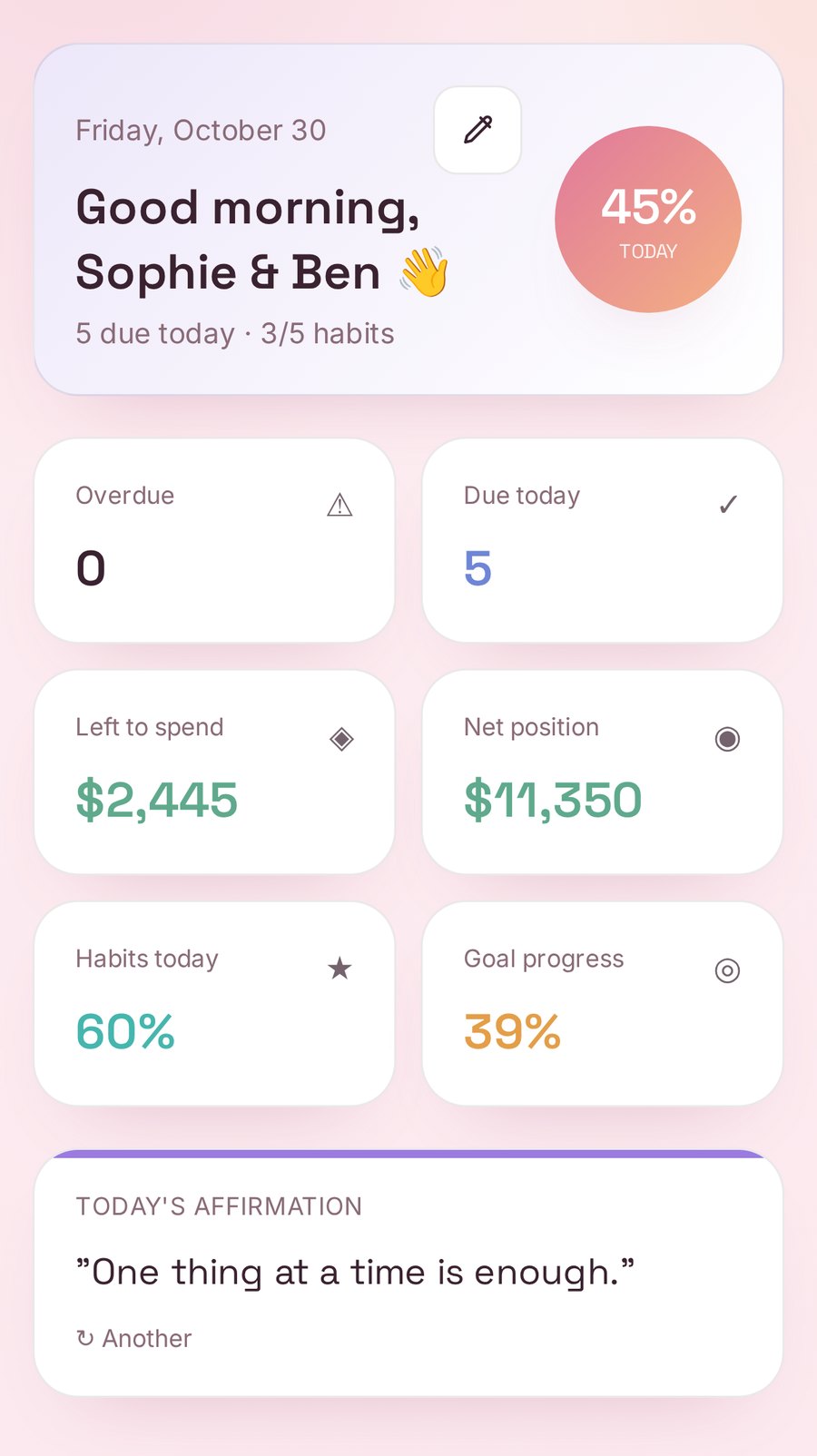
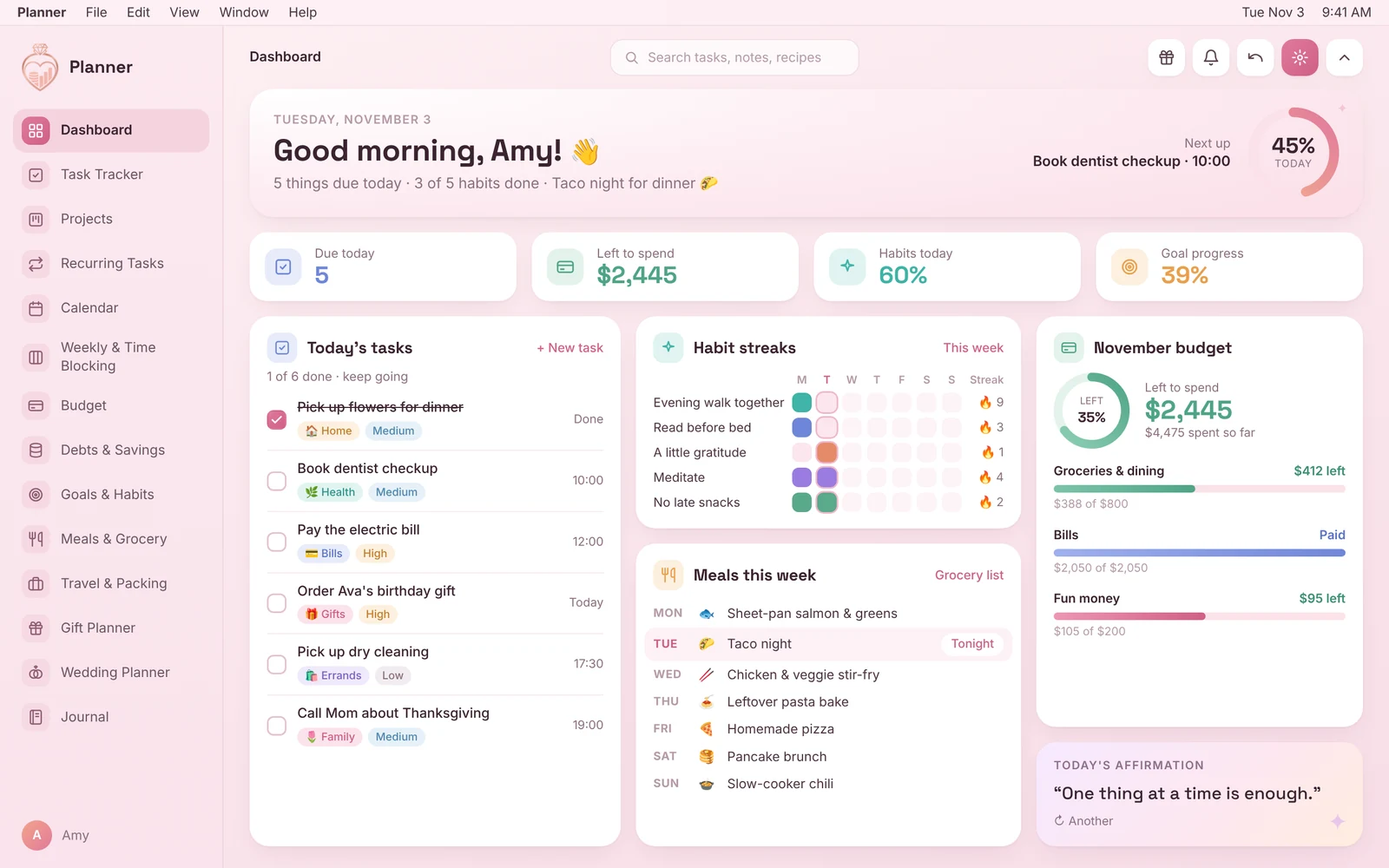
Planner is a real app, not a PDF or spreadsheet. Open it in your browser, add it to your home screen, and it opens full screen with its own Planner icon, no browser bars and no app store needed. Pick a color theme and a dashboard layout, turn planners on and off, and drag them into your own order.
Wedding
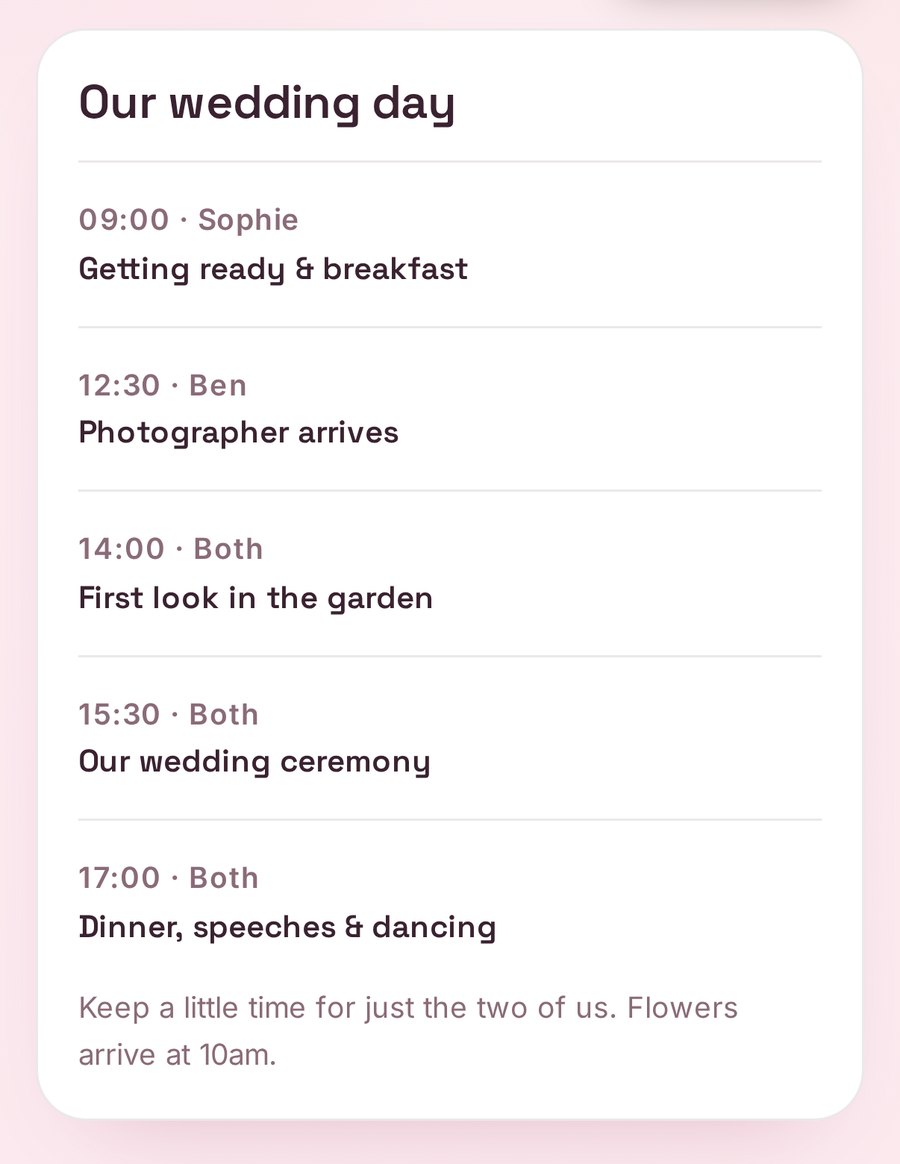
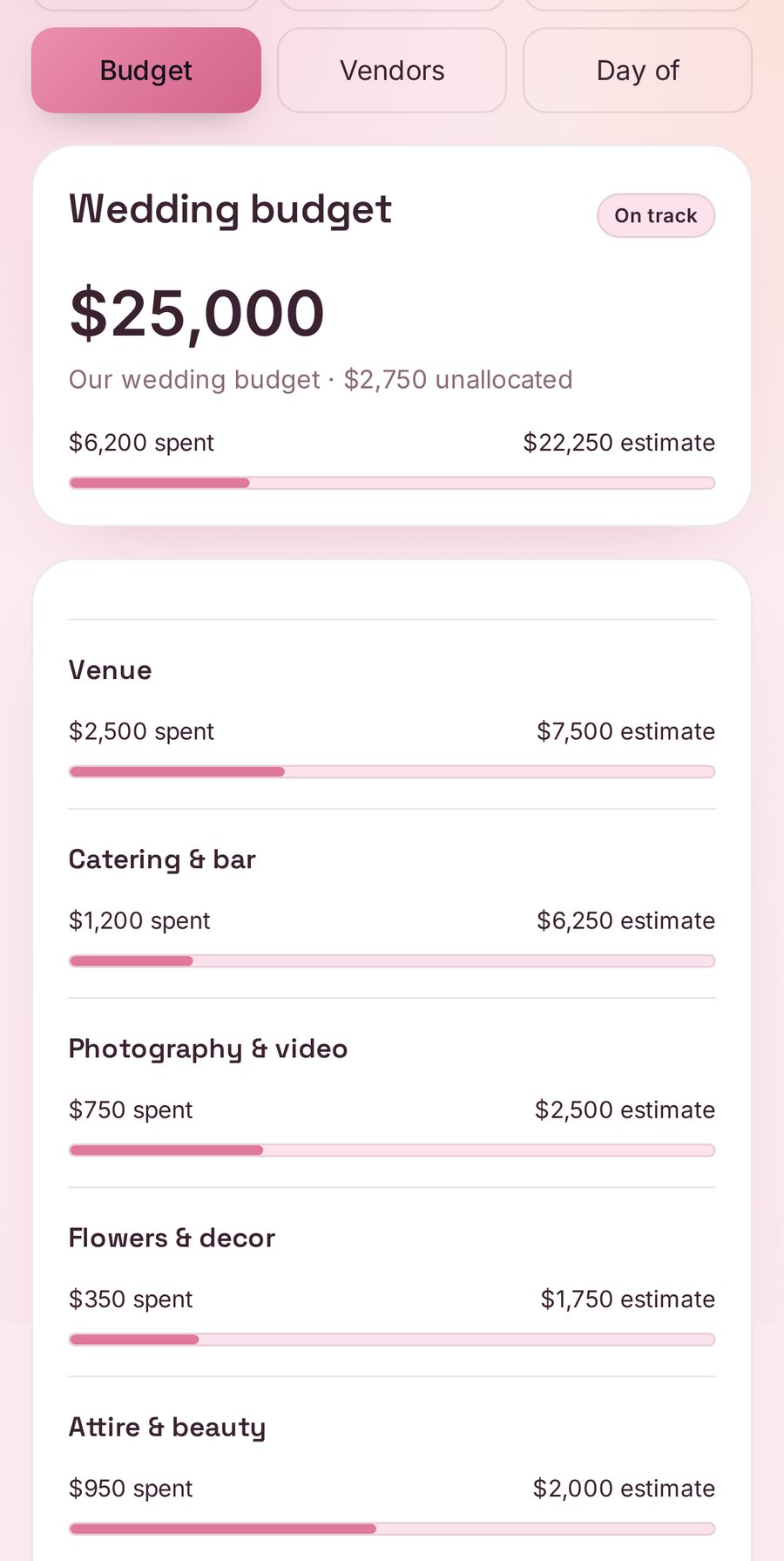
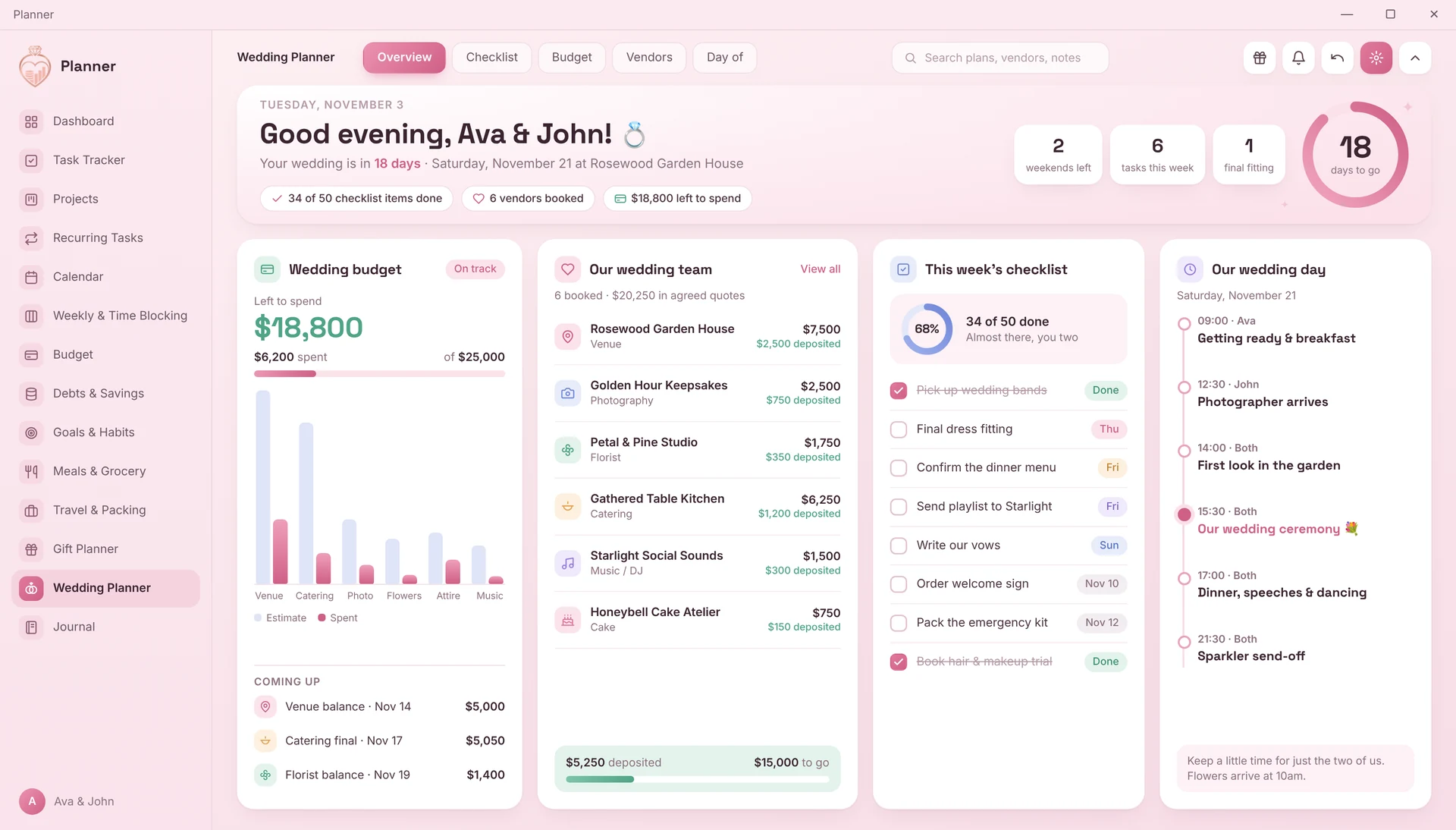
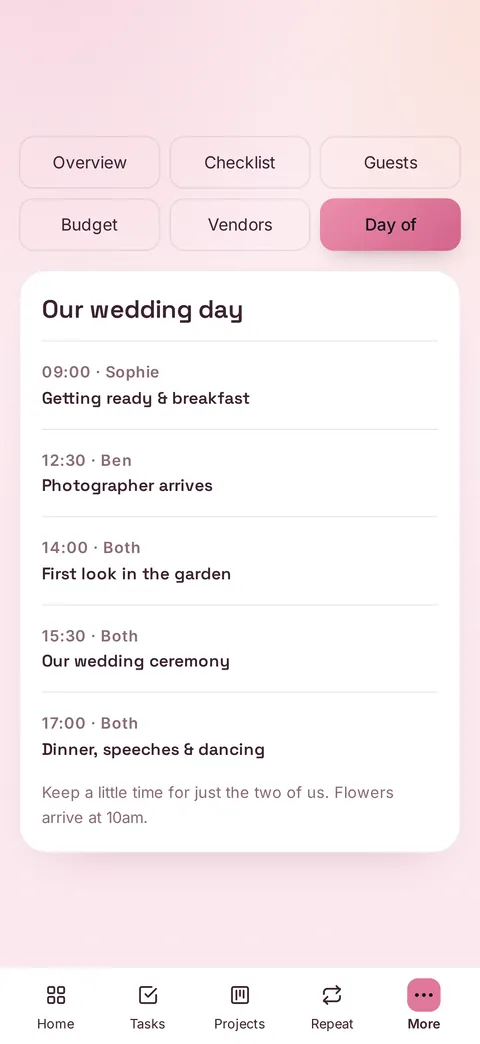
- 1Wedding Planner: a countdown, a full wedding checklist, a wedding budget that compares estimates with what you've spent, vendors and a day-of timeline
Money
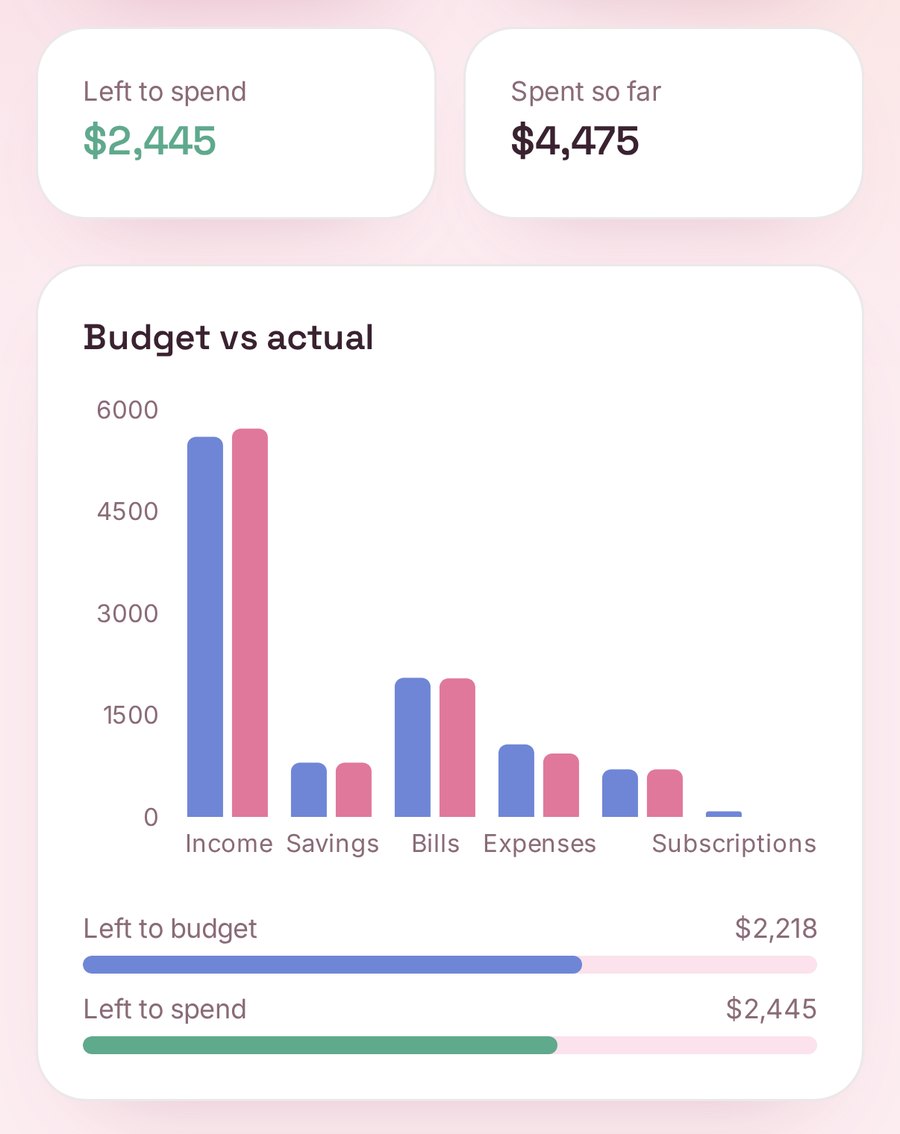
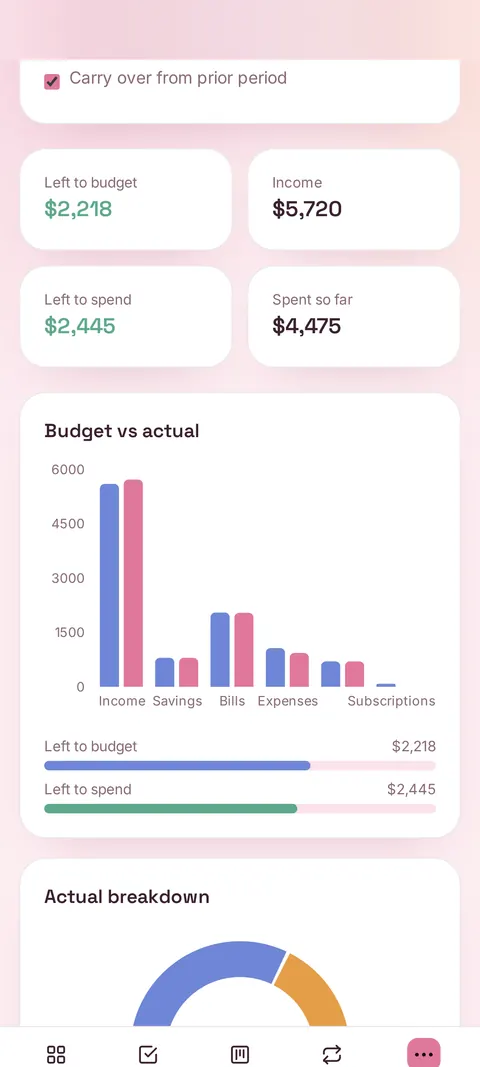
- 2Budget: a monthly budget for income, savings, bills and expenses, with budget vs. actual and where your money went by category
- 3Debts & Savings: a debt payoff planner, savings goals and savings challenges like a 52-week challenge and a no-spend month
Tasks & time
- 4Task Tracker: categories, priorities, due dates and one tap complete, with each task assigned to a person
- 5Projects: step checklists with progress rings
- 6Recurring Tasks: repeating tasks, weekly to yearly
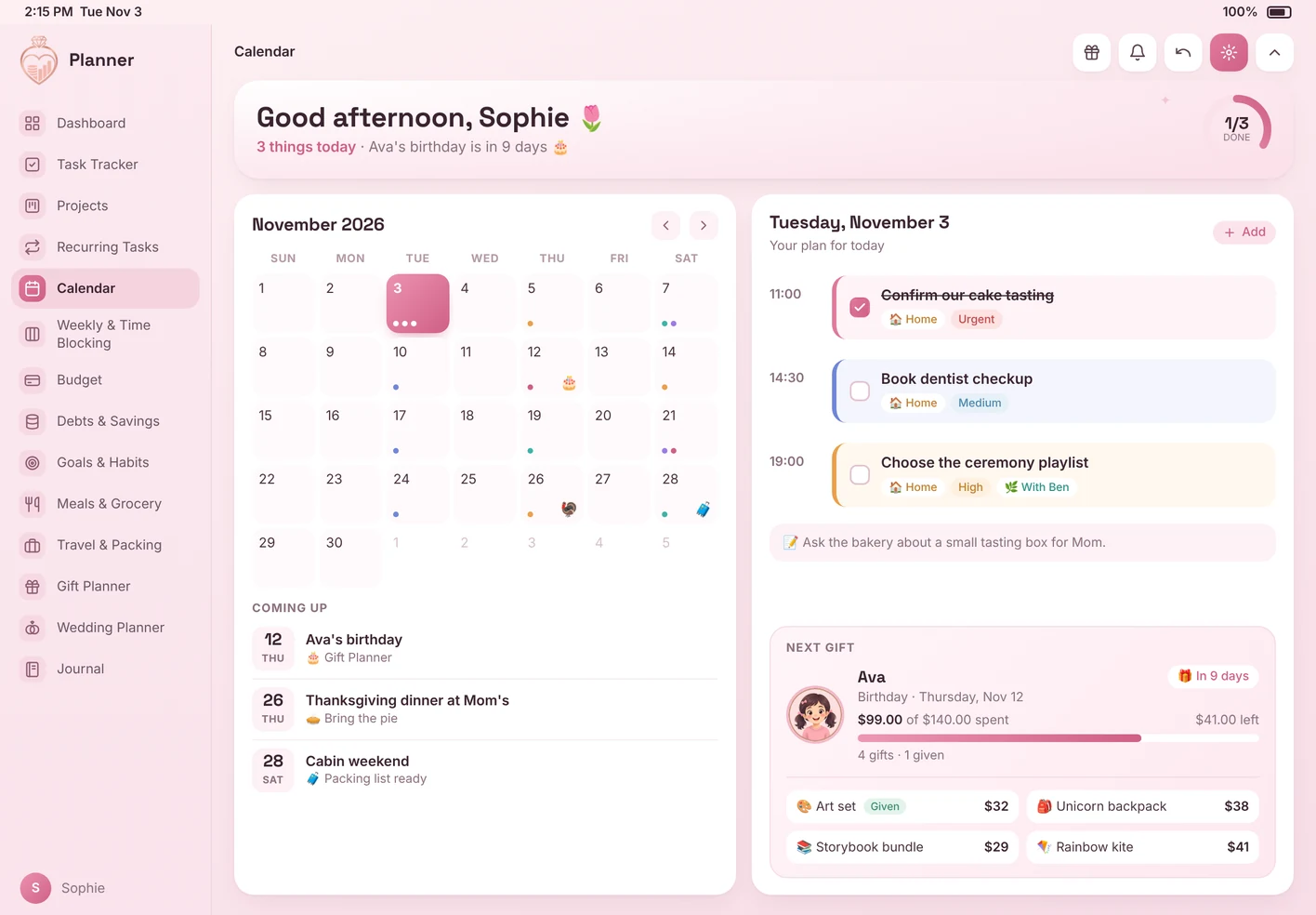
- 7Calendar: a month view of your tasks, bills and trips, and you can add your plans to Apple, Google or Outlook calendar with a .ics file
- 8Weekly & Time Blocking: plan the week day by day and block out your time
Home & life
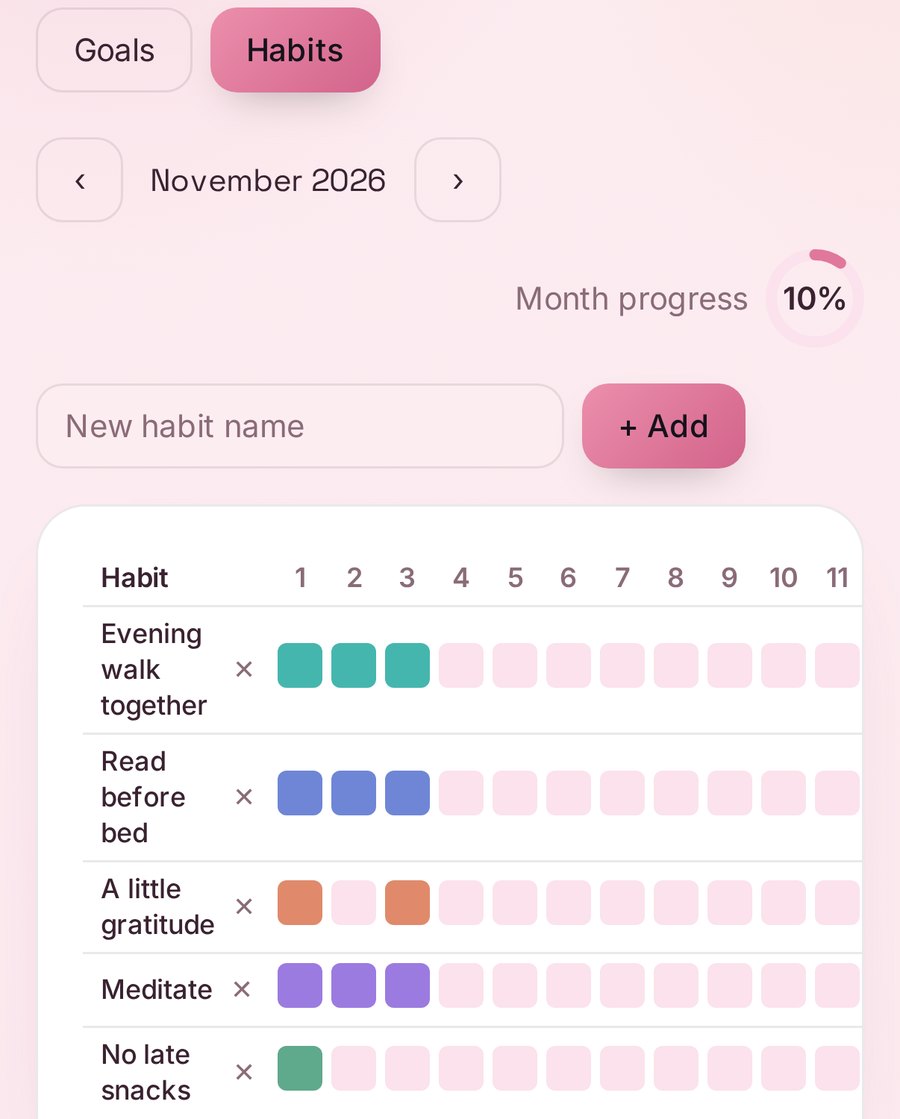
- 9Goals & Habits: a monthly habit tracker with streaks, plus goals with steps and deadlines
- 10Meals & Grocery: plan the week's meals and your grocery list builds from them, sorted by section
- 11Travel & Packing: trips with dates, a day by day itinerary and a packing checklist
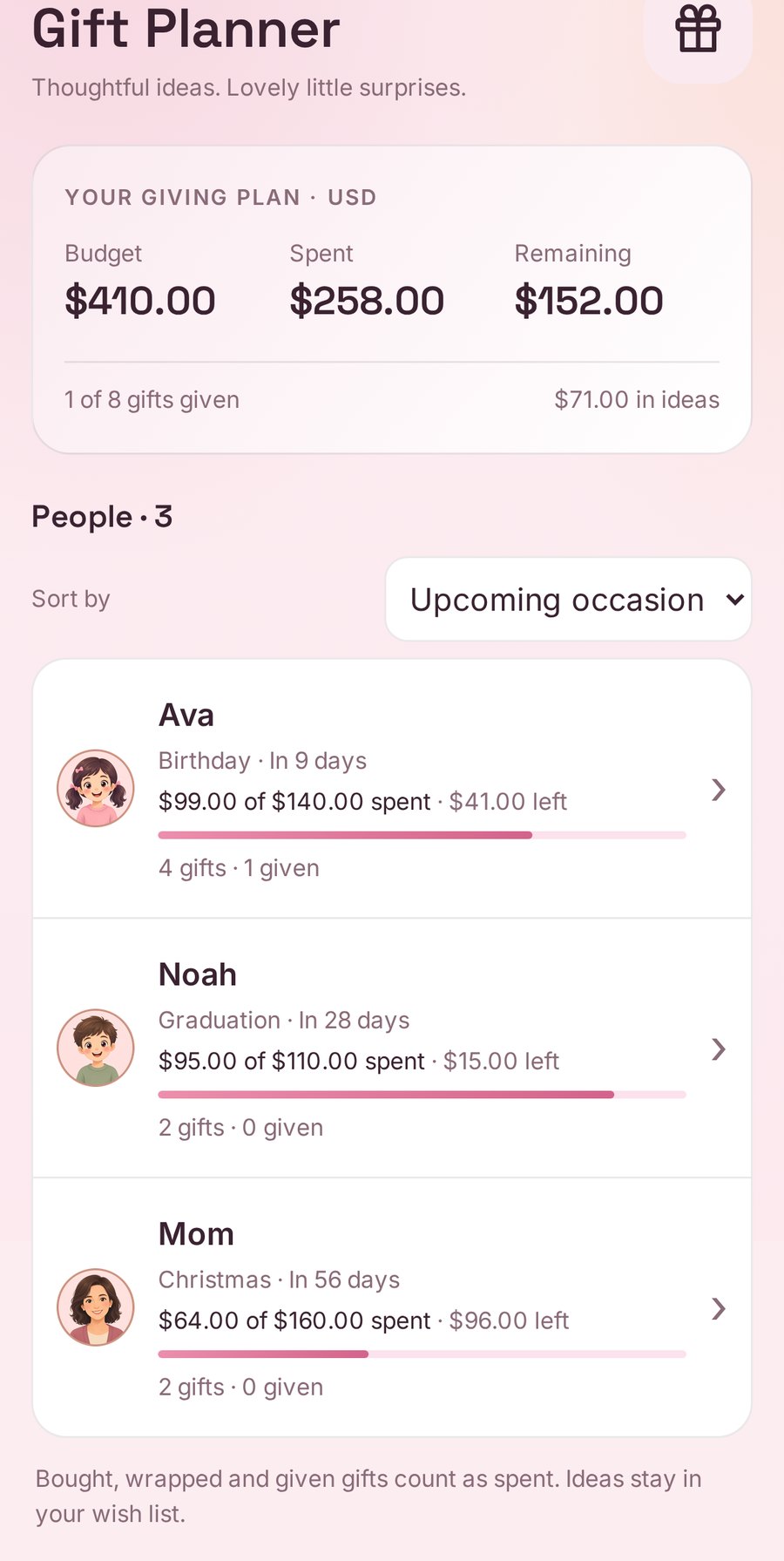
- 12Gift Planner: gift ideas and a budget for each person, from first idea to wrapped and given
- 13Journal: a daily writing prompt, three things you're grateful for and a highlight of the day
Fitness & wellness
- 14Fitness & Weight: plan each day's activities, mark rest days and check them off, and log weigh-ins to see the trend over time
- 15Wellness Check-in: a daily check-in for mood, energy, sleep hours, water and steps, with a streak, 7-day averages and a 14-day chart
- 16Peptide Tracker: keep a list of your peptides, your medications or both on your own schedule, and check off today's entries as taken. For personal tracking only, not medical advice.
For professional wedding planners
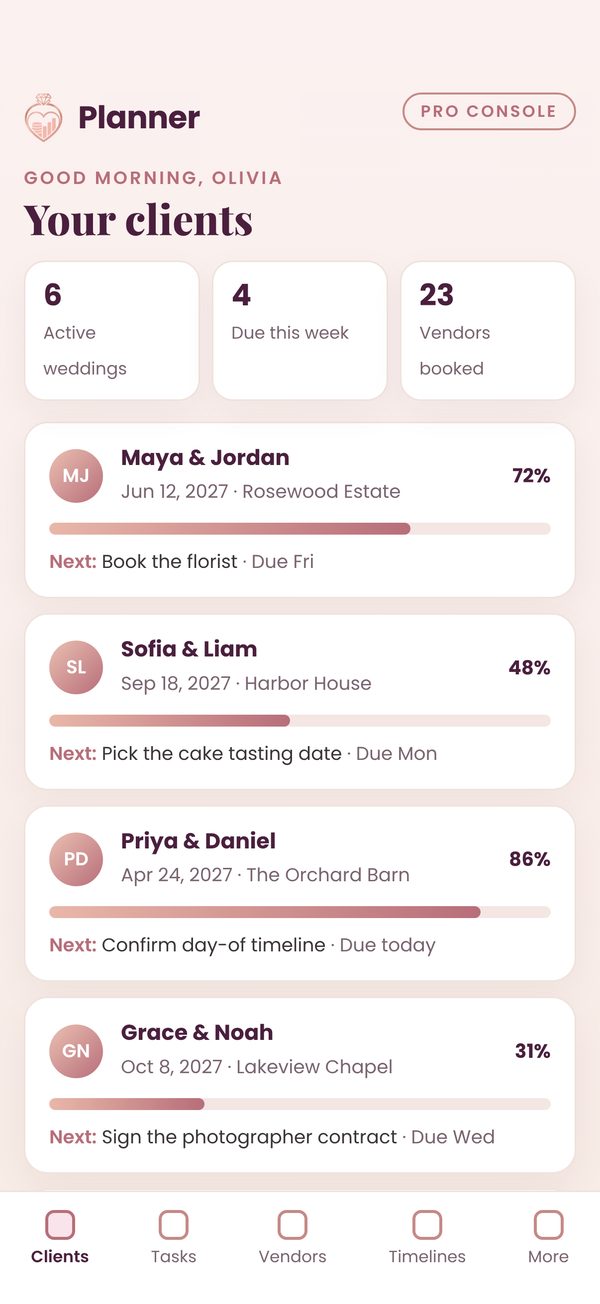
Pro Console for Wedding Planners
Pro Console for Wedding Planners included free with every $14.99 Planner, unlocks as it launches.
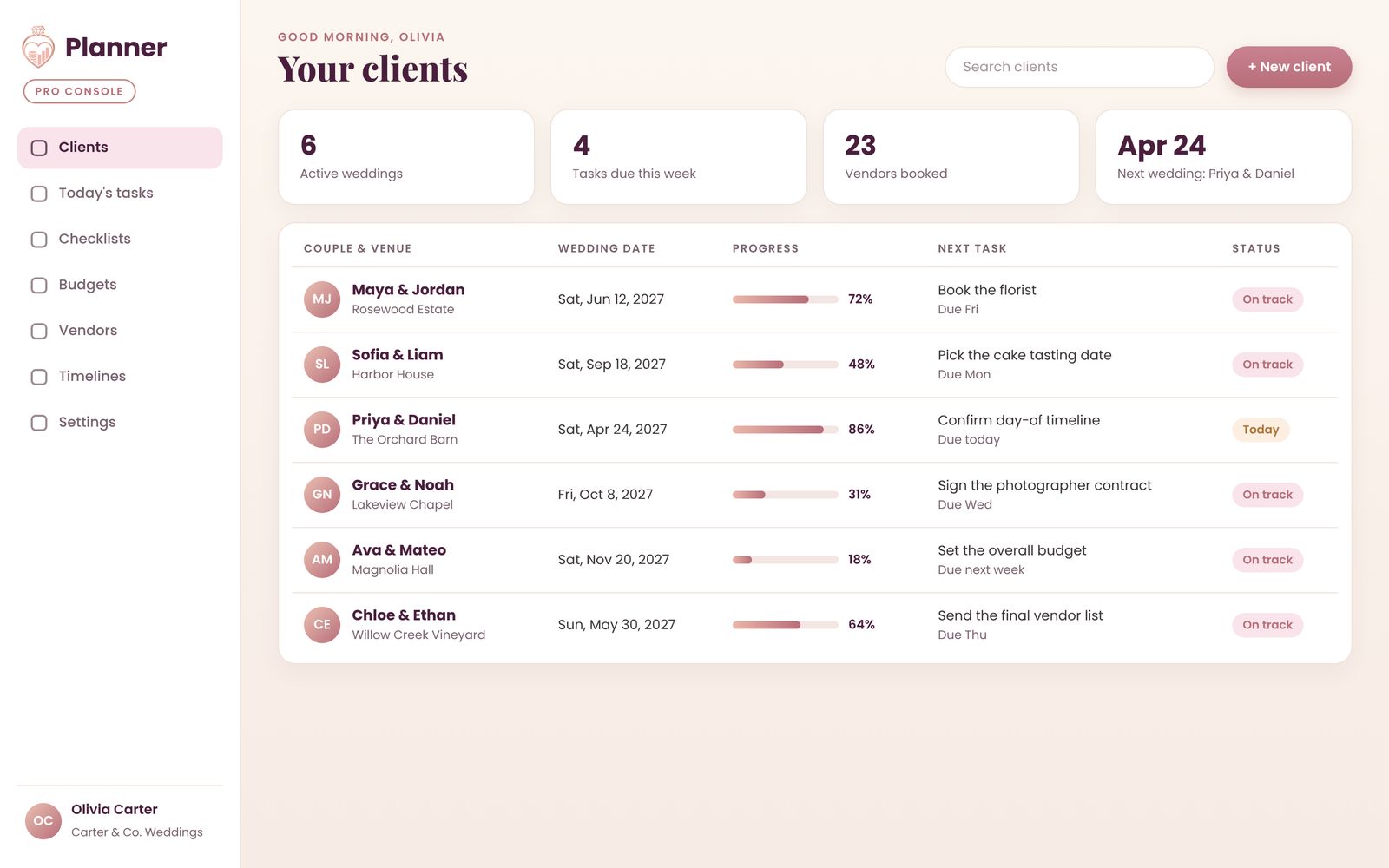
The Pro Console for Wedding Planners gives professional wedding planners one workspace for every client's wedding: each one's checklist, budget, vendors and day-of timeline.
- All your clients' weddings in one place: each one's checklist, budget, vendors and day-of timeline
- Open any wedding to manage its checklist, budget, vendors and day-of timeline
- Made to work on your phone
The full Wedding Planner for couples is in every Planner.
Get Planner on Etsy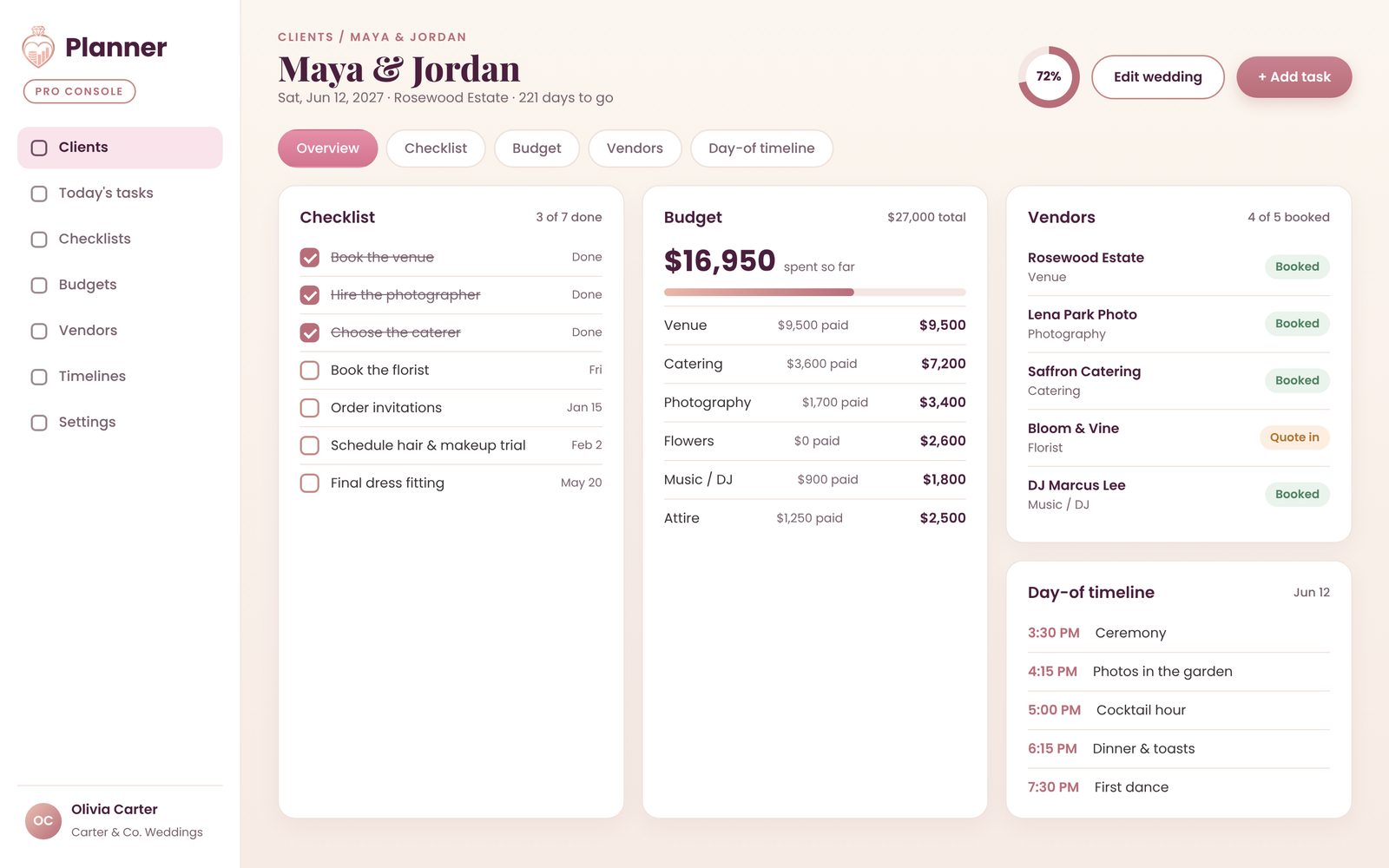
On your phone, tablet and computer
Planner works on iOS, iPadOS, Android, Windows and macOS, on up to 3 devices.
One-time purchase, no monthly fee. Free updates are included.
How it works
Buy on Etsy
Get Planner from the HeiserCoStudio shop on Etsy.
Get your license key
Your license key and setup steps arrive in your Etsy messages from HeiserCoStudio.
Open it in your browser
Open Planner, enter your key, and add it to your home screen so it opens like an app.


About
The Planner app, made by HeiserCo Studios

I'm Kyle. I built the Planner app with a simple idea: the plans that matter most belong in one calm, beautiful place. So I made one app that holds 16 planners, from a wedding checklist and budget to everyday budgets, tasks, habits, meals and gifts.
HeiserCo Studios is a small studio in the Tampa Bay area. We design the Planner app to feel personal, with soft colors and layouts you can rearrange, so it fits your wedding, your home and your everyday life.
Every order gets a license key and setup steps in your Etsy messages from HeiserCoStudio. Message me anytime if you get stuck.
Questions
Is Planner a PDF or a template?
No. Planner is a real app for iOS, iPadOS, Android, Windows and macOS, not a PDF or spreadsheet.
Is there a subscription?
No. It's a one-time purchase with no monthly fee, and free updates are included.
How many devices can I use?
Planner works on iOS, iPadOS, Android, Windows and macOS, on up to 3 devices.
Do I need an app store?
No app store needed. On iPhone and iPad, add it to your home screen from Safari. On Android, tap "Install app" in Chrome. On Mac and Windows, install it from your browser or use it in any browser tab.
How do I get it after I buy?
Your license key and setup steps arrive in your Etsy messages from HeiserCoStudio. Open Planner in your browser, enter your key, and add it to your home screen.
What do I need to use it?
A modern browser and an internet connection. It's a digital product, so nothing physical ships.
Contact us
Questions about Planner, the Pro Console, press or partnerships? Send us a note and we'll reply by email.